Free BootCD Repair Tool. A software used to solve your problems around the world of the PC's. As delinquency overcome a virus, accidentally deleted data, hardware error (bad sectors on the disk,) System Error (missing boot loader, partition deleted and so forth.). Well, here a Free BootCD Repair Tool can take part in overcoming the disease this PC.
Free BootCD is indeed free. And you can easily to use it. Here are some lists BootCD Free Repair Tool.
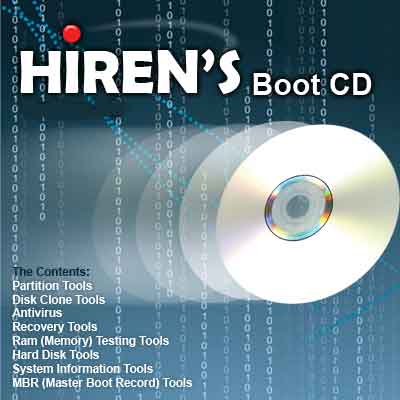
1. Hiren's BootCD
The first, already known to many people. Hiren's BootCD it does have many features that you can exploit to solve the problem PC. Like:
Partition Tools
- Partition Magic Pro 8:05 Best software to partition hard drive
Backup Tools
- ImageCenter 6.5 (Drive Image 2002) Best software to clone hard drive
Recovery Tools
- Active Partition Recovery 3.0 To Recover a Deleted partition.
Testing Tools
- Ontrack Data Advisor 5.0 Powerful diagnostic tool for assessing the condition of your computer
RAM (Memory) Testing Tools
- 5:07 GoldMemory RAM Test utility
Hard Disk Tools
Hard Disk Diagnostic Utilities
- Seagate Seatools Graphical v2.13b
- SeaTools for Dos 1:10
- Western Digital Data Lifeguard Tools 11.2
- Western Digital Diagnostics (DLGDIAG) 5.04f
- Maxtor POWERMAX 4:23
- Amset utility 4.0 Maxtor
- Maxtor (or any Hdd) Low Level 1.1 formatter
- Fujitsu HDD Diagnostic Tool 7:00
- Fujitsu IDE Low Level Format 1.0
- Samsung HDD Utility (HUTIL) 2:10
- Samsung Disk Diagnose (SHDIAG) 1:28
- Samsung The Drive Diagnostic Utility (ESTOOL) 3.00g
- IBM / Hitachi Drive Fitness Test 4:16
- IBM / Hitachi Feature Tool 2:15
- Gateway GwScan 5:12
- ExcelStor's ESTest 4:50
- MHDD 4.6
- 1:30 WDClear
- Toshiba Hard Disk Diagnostic 2.00b
- HDD Regenerator 1.71 to recover a bad hard drive
And still many others. Please go to his official website directly to get the info and software. Free BootCD this one is based on DOS as the main system. The disadvantage, because this one BootCD using DOS as the primary system, then this tool can only be used to repair your PC with Windows systems only. And to note, you must have a capacity of RAM (Random Access Memory) of at least 64MB to be run well to be used as a temporary drive.
Download:
HirenBootCD
2. Ultimate BootCD
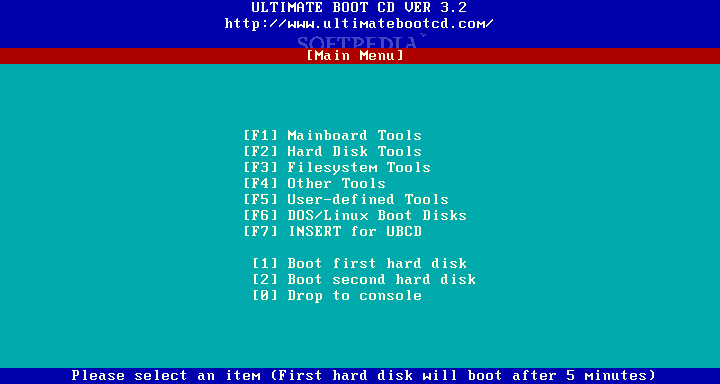
The latter is indeed less popular than the 'brother' Hiren's BootCD among repairman Indonesia. But, do not regard lightly on this one. BootCD this one can also have many features that can be utilized to repair your PC. BootCD is support two operating systems namely Linux and Windows, because this tool BootCD use Linux OS as the main system. As we all know, linux OS can read the Windows OS. Deficiencies that may become obstacles for the user to use this software is a matter of interface (interface). Although the interfaces are fairly similar with Hiren's because it can not operate in multitasking.
Download:
Softpedia
3. ULTIMATE BOOT DISK FOR WINDOWS
Judging from its name would have to guess to what exactly this one BootCD tool. BootCD course, this one devoted to Windows OS as well as Hiren's.
Download:
Softpedia
4. Bart PE
Well, for the latter has a feature that is quite different because BootCD this tool can perform the process of multitasking and has an interface (interface) with the same interface on Windows (because it takes the system interface and some major systems from Windows OS to run). You can add your own tools into a system like this BartPE tool (a tool that has the interesting interface can be added to this BootCD).
Download:
Softpedia


* Do I have physical access to this computer.(It's at your house or a friends)


